PROJECTS & APPLICATIONS

Connected systems.
For the way you work.

Find an asset. Reconcile a shipment. Monitor a contact point. Update a wearable display. Start with the task, then explore the hardware and software it needs.

From tag and reader selection to firmware and application integration, define the parts of the system and the pilot that will prove them.

01 / BLE AoA + inventory integration

Inventory with a physical location

System design study

The system says it is in stock. Where is it now?

An inventory record tells a team what it owns. A location system can show where a tagged item was last observed. The useful part is joining those two views without losing the identity or freshness of the data.

The ANRUISUN indoor-navigation design study explores BLE angle-of-arrival data alongside an inventory platform, with Odoo Inventory as the proposed integration. A tag-to-asset mapping connects radio coordinates to the item people actually search for.
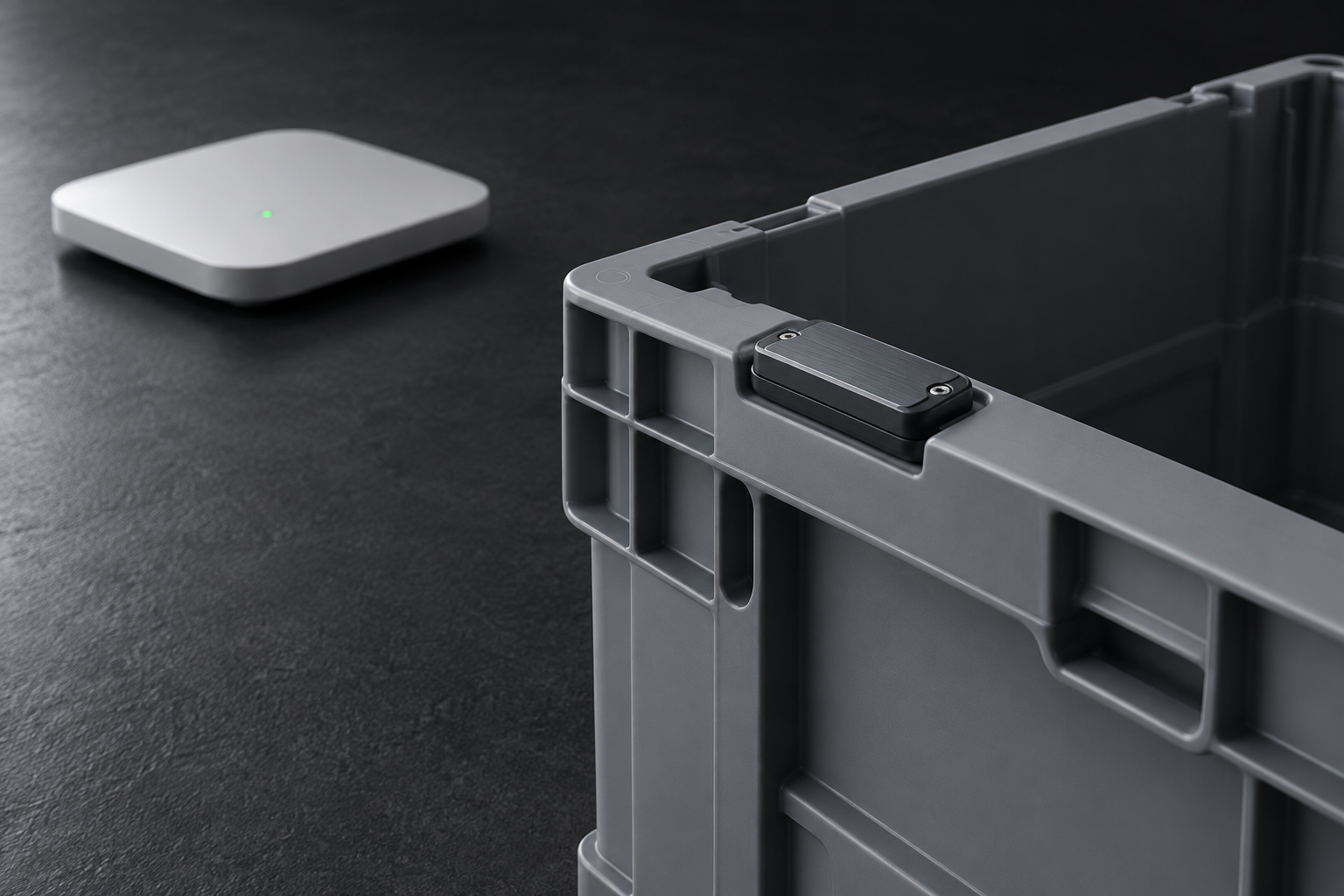
Industrial visualization of an asset tag on a reusable tote with a location receiver

TYPICAL SYSTEM SCOPE

On the asset

BLE location tag

An identifier bound to the item, container or equipment record.

In the space

AoA locators + positioning engine

Installed receivers and software that calculate a position in the mapped space.

For the operator

Floor map + inventory

An asset view combining the item record, zone and last known position.

  1. 01

    Identify the asset

    Bind the tag identifier to an inventory item or tracked asset. Keep replacements and reassignments explicit.

  2. 02

    Receive the position

    Normalize coordinates, map and zone identifiers, timestamps and available battery information from the positioning engine.

  3. 03

    Show it in context

    Display the asset on a floor map alongside its inventory record. Distinguish fresh positions from stale or missing updates.

  4. 04

    Validate the workflow

    Check tag-to-record matching, coverage, update delays and what the operator sees when a tag stops reporting.

Information the integration needs

Identity
Tag ID linked to the inventory record
Location
X / Y / Z, map and zone
Freshness
Last received and calculated timestamps
Device state
Battery and gateway metadata, where available

Project outputs

  • Asset and tag mapping model
  • Location message contract
  • Floor-map and zone integration
  • Coverage and data-freshness test plan
Discuss a similar requirement

Based on ANRUISUN indoor-navigation and RTLS design documents.
02 / UHF RFID + operational records

RFID at the handoff points

Application reference

What crossed the doorway, and does it match the order?

A reader can report the same tag many times. A warehouse needs one interpretable movement event, associated with the right item, doorway and business transaction. Labels, antenna placement and software rules all affect that result.

RFID application material from Zhengrui / ZRAYE provides concrete reference patterns: labels bound to cartons or pallets, fixed readers at transfer points, handheld inventory checks, tool cabinets and tagged carriers at manufacturing stations.

A READ IS AN OBSERVATION

Tag identity
+ reader zone
+ timestamp
+ business context

Define the event before updating inventory.

TYPICAL SYSTEM SCOPE

On the item

RFID label or durable tag

The format and mounting are selected around the material and handling process.

At the handoff

Reader + antennas

A doorway, workstation, cabinet or handheld read point.

In the business system

WMS / MES event integration

Matched identities, movement events and exceptions linked to the task.

  1. 01

    Bind

    Associate the tag identifier with an item, carton, pallet or reusable carrier in the business system.

  2. 02

    Read

    Choose a portal, handheld or workstation reader for the task. Evaluate label position against the actual material and packaging.

  3. 03

    Interpret

    Group repeated reads and associate the event with its read zone. Surface unexpected or missing items for review.

  4. 04

    Reconcile

    Compare observed identities with the receiving, dispatch or inventory task before committing a business record.

Four workflows to scope

Receiving / dispatch
Compare observed cartons with the expected transaction
Cycle counting
Review differences between handheld reads and recorded stock
Tools and molds
Record issue, return and cabinet presence
Production
Associate a carrier ID with a station and process event

Project outputs

  • Tag and material trial plan
  • Reader-zone and antenna layout
  • Movement-event and exception rules
  • WMS or MES integration specification
Discuss a similar requirement

Reference applications adapted from Zhengrui / ZRAYE materials. They are not presented as ANRUISUN customer deployments.

03 / Passive RFID sensing

Temperature sensing without a tag battery

Application reference

Can this contact point be monitored without replacing a sensor battery?

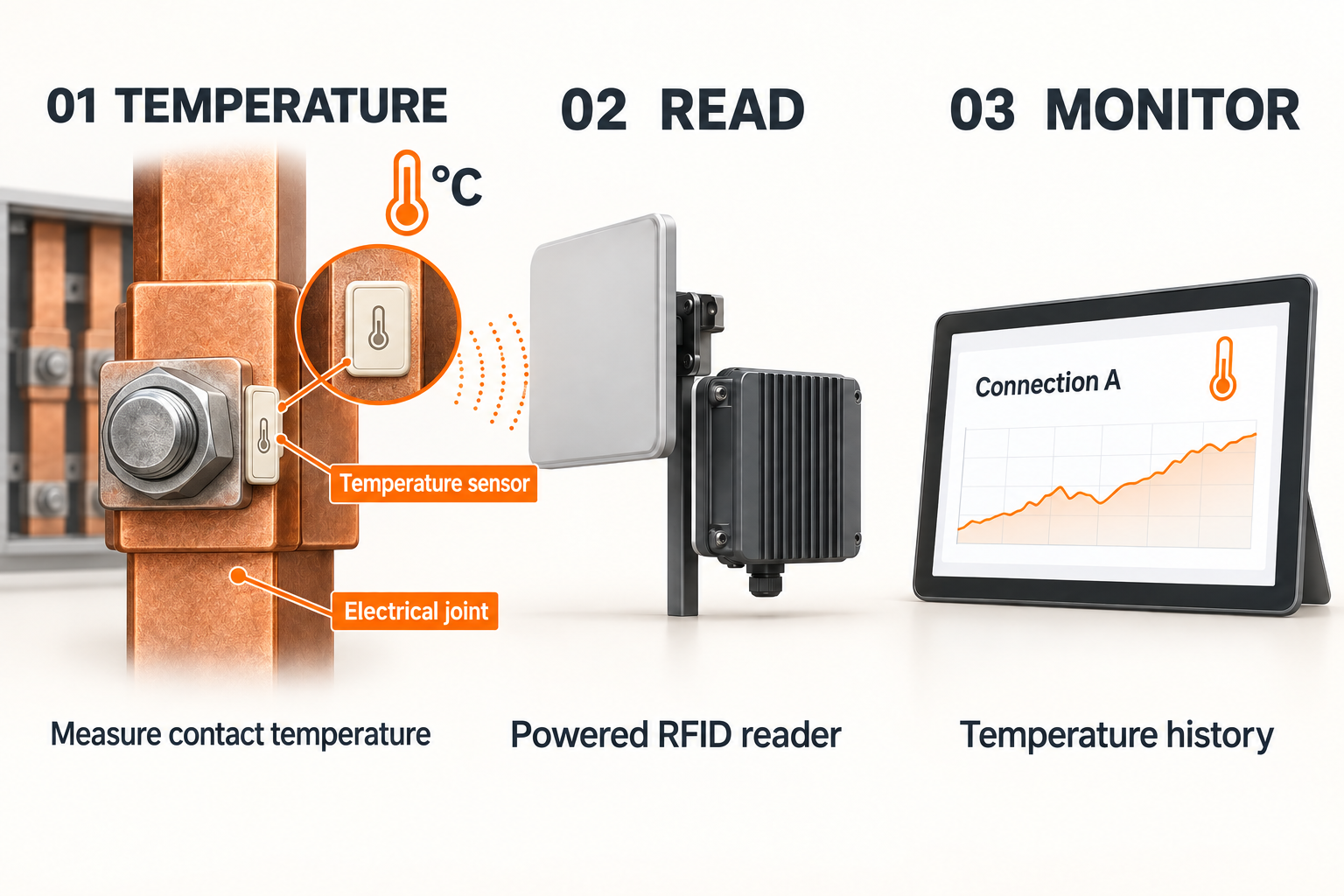
Some measurement points are difficult to access repeatedly. Passive RFID sensing offers a way to interrogate compatible temperature tags using a reader, with no battery in the tag itself.

Zhengrui reference materials describe ceramic, PCB and mechanically mounted sensor formats, multiport readers, reader antennas and monitoring software. Example applications include electrical contact points and temperature monitoring around liquid-cooling infrastructure.

Labeled temperature sensor mounted on an electrical joint, with a magnified view, powered RFID reader and temperature-history screen

TYPICAL SYSTEM SCOPE

At the measurement point

Passive temperature tag

A compatible sensor format and attachment for the surface being monitored.

Across the RF path

Reader + antenna

Powered infrastructure that interrogates the tag and collects its reading.

For maintenance

Trends + exception review

Named points, temperature history, thresholds and missing-read indicators.

  1. 01

    Choose the point

    Define the surface, mounting method, temperature range and access constraints before selecting a tag format.

  2. 02

    Establish the RF path

    Evaluate the sensor, reader and antenna together in the intended metal enclosure or equipment geometry.

  3. 03

    Name and collect

    Associate the sensor ID with a physical point. Capture readings with timestamps and show gaps in observation.

  4. 04

    Review the trend

    Configure thresholds, view the temperature history and export readings for further analysis.

What the monitoring view should contain

Point identity
Sensor ID and a recognizable equipment location
Observation
Temperature with a timestamp
Trend
History, thresholds and exported data
Data quality
Missing reads and the age of the last observation

Project outputs

  • Measurement-point and mounting study
  • Sensor / reader / antenna selection
  • Temperature-record and trend interface
  • Installed comparison and missing-read tests
Discuss a similar requirement

Application reference based on Zhengrui passive wireless sensing materials; no supplier affiliation or deployment result is implied.

04 / E-paper badge

A badge that changes with you.

Personalized wearable display

One badge. A new way to express yourself.

A name at an event. A shared identity for your team. Artwork that feels like you. A reusable digital badge makes the display part of the experience, with content that can change for the next occasion.

The e-paper badge brings a colorful, paper-like display into a compact wearable form. Designed around phone-based personalization and Bluetooth updates, it gives names, artwork and team identity a place beyond the phone screen.

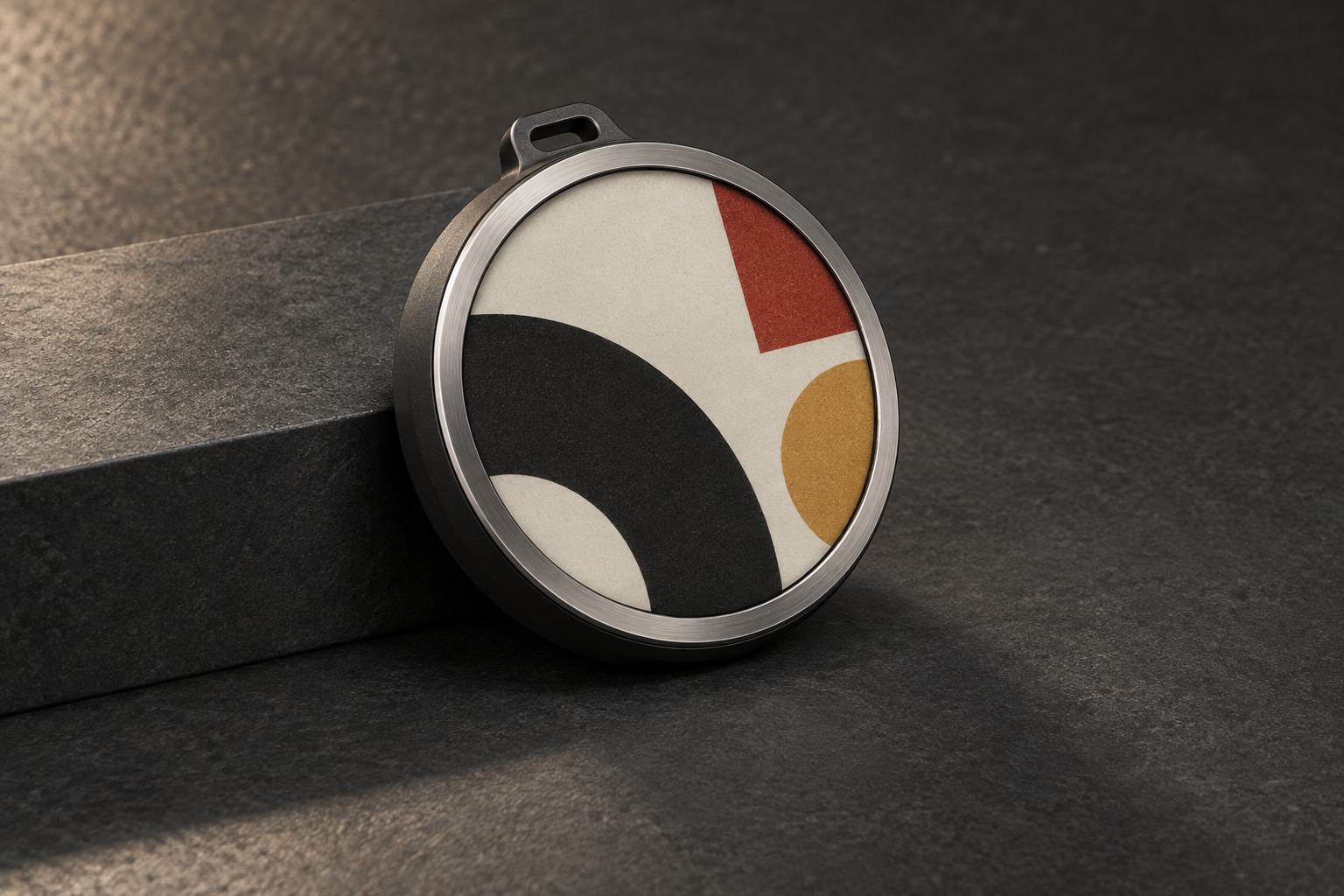
Circular e-paper badge design with colorful geometric artwork and a graphite enclosure

THE PRODUCT EXPERIENCE

Make it personal

Your image, your badge

A phone-led experience for choosing artwork and composing it for a circular display.

Keep it connected

A new look over Bluetooth

Wireless content updates are at the heart of the experience, from a personal design to a shared team theme.

Keep it visible

A display that holds its image

E-paper retains the picture without continuous display power, with a reflective, paper-like appearance.

  1. 01

    Choose your look

    Start with personal artwork, a name card or a visual identity for your team.

  2. 02

    Make it fit

    Compose the image on your phone and preview it within the circular display.

  3. 03

    Update wirelessly

    Send the selected design to the badge over Bluetooth.

  4. 04

    Wear it again

    Keep the design on display, then choose a new look for another occasion.

Made for moments that matter

Events
A personal name card or a conversation-starting design
Teams
A shared visual identity with room for individual expression
Creators
A small wearable canvas for original artwork
Brand experiences
A reusable display for changing themes and campaigns

Product highlights

  • Phone-based personalization
  • Bluetooth image updates
  • Low-power, persistent display
  • A reusable canvas for your identity
Create your wearable experience

LET'S CONNECT THE DOTS

Bring a workflow we can define.

Share the item, environment, current process and the decision your system needs to support.

Discuss your project